Gaston Draque said
This book IS what is trying to explain. A great web-usability book from the navigation point of view (quite an important one btw!) delivered in very well organized and easy to read (may I say 'navigate'?).
A total 'must read' for anyone who wants to make any GUI application more user-friendly, easier to understand, hence more productive and pleasant.
Debonaire said
This book was very informative. I received the book just in time for my class.
Weston Thompson said
This is a helpful resource for new and experienced designers, though it is not groundbreaking. It's more of a compendium of approaches. I believe the editing was not very thorough, as I found several typos.
Eric Jain said
This book provides a great overview of basic navigation concepts (such as "berry picking"), navigation artifacts (menus, tabs, bars, text links etc) and usability research done in this area (often not much, but can't blame the authors for that). There are too many (for my taste) neat but not-so-useful bullet point-type categorizations (e.g. "most navigation types fall into three primary categories: structural, associative, utility") and obvious advise such as "when relaunching or enhancing a web site, it's imperative to first determine the problems of the old one". Fortunately this is counterbalanced by a lot of examples (with screen shots). Most examples are presented from an outside point if view; I'd prefer insider explanations (may be hard to get) when taking e.g. about why Amazon.com changed their navigation scheme. The organization of the book is logical, for the most part (though I do wonder why the well-written sections on "tag clouds" and "faceted browsing" appear in the "Navigation in Special Contexts" chapter)... There is some overlap with two other O'Reilly books: "Information Architecture for the World Wide Web" and "Designing Interfaces" book, but having read those two books doesn't mean you won't get anything out of this book.
Thomas Duff said
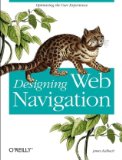
The ability to navigate a web site can make or break your user's experience. I learned far more than I thought even existed in the book Designing Web Navigation: Optimizing the User Experience by James Kalbach. It's obviously more than just putting a list of links down the left side of the screen...
Contents:
Part 1 - Foundations of Web Navigation: Introducing Web Navigation; Understanding Navigation; Mechanisms of Navigation; Types of Navigation; Labeling Navigation
Part 2 - A Framework for Navigation Design: Evaluation; Analysis; Architecture; Layout; Presentation
Part 3 - Navigation in Special Contexts: Navigation and Search; Navigation and Social Tagging Systems; Navigation and Rich Web Applications
References; Index
If you tend to think more like a developer than a designer, then you pretty much think that a list of navigation links are all you need. Uh, no... Kalbach has compiled a wealth of information here that spans both the theory and the practice of web navigation. Rather than just say "do this, this, and this", he starts off with the foundational theory behind how people think about getting around a web site. Once that's presented, you have the proper grounding to start looking at particular types. The chapter on navigation mechanisms lays out all the different options, such as step-type navigation, paging-type navigation, tree navigation, and more. Classifying the different types in your mind helps to figure out when you might want to consider options like tabbed navigation over breadcrumb trails. By the time you've gone through the book, there's little you haven't covered on the topic.
I also appreciated the way the book is designed. O'Reilly went with a full-color layout, which means that all the websites Kalbach uses for examples accurately reflect his points. Black and white just wouldn't cut it here. Also, the edges of the pages are color-coded by chapter, so it makes it very easy to find the particular chapter you're looking for. I always have a better feeling about a design book when the book's design is high quality. In this case, I felt very good...
This really should be on the reading list of anyone who designs websites that go more than one page deep. Not only will you design better sites, but your users will thank you.

Comments