P. Petersen said
Being new to photography, I needed something to learn from and this book was actually recommended to me from a friend. It taught me everything I need to know about my Canon XSi and much, much more. If you own an XSi then this is the only book you will ever need.
Rob said
This book is perfect for getting the most out of your Rebel XSi. Most highly recommended for the beginner to the expert.
Russell J. T. Dyer said
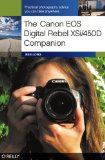
The Canon EOS Rebel cameras are basically entry-level DSLR cameras. If this is your situation and you recently purchased a Rebel XSi--known as the 450D outside of the U.S.--you may want to get this book. This book is a beginner book that is specific to your camera. It's a good book with which to start.
There are twelve chapters to this moderate sized book. The reader is given some very helpful screen shots of camera menus, as well as the displays that one will see through the viewfinder (i.e., the eyepiece) and on the LCD viewer screen. There are full-color images showing the camera with easy to understand text and lines pointing to exactly what to press or turn to set various things on the camera.
Getting to It
In the first few chapters, the author Ben Long teaches the reader about the camera in general: Chapter 1 shows the reader exactly what to do to get started taking pictures. It includes pictures of the switches on the camera and the lens and screen shots of the menus. The second chapter provides a well illustrated tour of the camera. Knowing where everything is on your camera will make you more comfortable using it. There's also information on the care and cleaning of the camera.
The third chapter covers how to view images and manipulate images within the camera. Many of these things you may figure out on your own, though. In the next chapter the author discusses how to copy images to a computer. This includes using the Canon utility program on Microsoft Windows and Macintosh computers, providing screen shots for both.
Photography Basics
The author turns his attention to teaching the reader about photography in general in Chapter 5 by discussing the basics components of exposure: ISO (i.e., sensitivity of the image sensor), shutter speed, and aperture (i.e., how wide the lens is opened). From there, in Chapter 6, he explains how to take pictures using a non-automatic mode. He covers the different methods of focusing, setting camera sensitivity, and adjusting white balance (i.e., image coloring based on lighting).
In the following chapter Long discusses the light meter and other exposure information provided by the camera. He gives advice on how to improve the camera exposure for the best lighting of the final images. In Chapter 8, he steps away from camera specifics a bit and explains how to compose a photograph--where to position the subject or the camera for the best shot.
Other Stuff
In Chapter 9, Long talks about using the live view mode (i.e., using the LCD panel for taking shots). He also speaks a little about taking panoramic photos and images in low lighting. These three topics seem to be loosely pasted together. Chapter 10 is about using the built-in flash and an external flash. There's not much to this chapter, but maybe it's enough for a beginner since Long explains how to deal with red-eye and how not to overexposure people with the flash. Those are the main problems of beginners.
Chapter 11 talks about the advantages and some steps involved in using the RAW image format. Most beginners probably shouldn't add it to their list of things to learn. The final chapter explains how to customize the 'My Menu' page. It also has a few pages on lenses: helping to decide which additional ones to buy. I'm not sure why Long didn't make a separate chapter for lenses and provide more information on them. Of course, most beginners don't think about getting a second lens for quite some time, at least a year.
Overall Thoughts & Reading Guide
Again, if you just bought a Canon EOS Digital Rebel XSi (or 450D) and you're new to using a camera like this, you should buy this book and read it. If you do, I recommend taking your time and starting from the beginning of the book. Play with the camera along the way. If you're going to skip around and not read all of the book, I recommend skipping chapters 9, 11, and 12. If you want to lighten your reading load even more, you can probably skim chapters 3 and 4--reading only what catches your eye.
E. J. Main said
This is the best camera manual I've used in the last 25 years! Much better than the Canon manual that came with the camera. Used the Canon manual first. Didn't understand some of the settings described in the Canon manual. This manual by Ben Long has been much easier to understand and use.
Lisa LaFontaine Bynum said
I had my Canon XSI for about six months before buying this book. There are SO many features on this camera and while the manual will tell you what they are, it doesn't really go into what they do or what to use them for. I felt like I was not using this expensive camera to its full potential.
I bought this book last month, am reading it cover to cover and am about 3/4 of the way through. He explains EVERYTHING and gives you suggestions on why you would want to use a certain feature. I feel like I have learned A LOT, I know the camera better and am already able to take better pictures. Even after I am finished reading I will keep it handy for future reference.

Comments